
LESCO Bill Check Online – Check, Download & Print Your Duplicate Bill
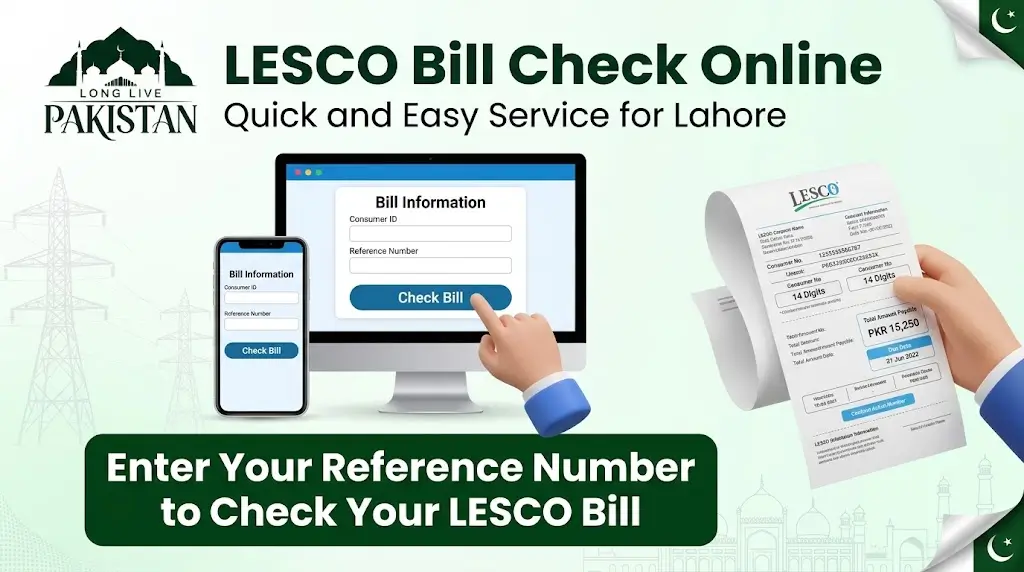
If you are tired of waiting for your LESCO bill to arrive late every month, you are not alone. Many people in Lahore, Kasur, Okara, Sheikhupura, and Nankana Sahib never receive their physical copy on time. That makes it hard to budget and easy to miss the due date. The good news is you do not have to wait anymore. With Long Live Pakistan's LESCO Bill Check tool, you can view your bill online completely free, even before the paper copy reaches your home. Just use the checker above, enter your reference number or Customer ID, and your duplicate bill appears instantly. You can download it as a PDF, save a copy, or take a quick screenshot. There are no frustrating CAPTCHAs or unnecessary steps to slow you down.
What Makes Long Live Pakistan's LESCO Bill Check Page So Useful?
LESCO is one of the largest electricity companies in Pakistan, serving more than 7.05 million consumers across Lahore, Kasur, Sheikhupura, Nankana Sahib, and Okara. The company now uses modern technology to help you do more than just check your bill online for free. You can also access several other useful services.
For example, you can view your electricity usage and payment history for the last twelve months. This lets you see exactly how many units you used each month, what your bill was, and how much you paid. It is a great way to track your consumption over time. You can also check your account status, which shows important details like your name, address, billing month, meter reading date, bill issue date, due date, and the amount you need to pay before or after the due date. You can even see if you have already made a payment for the current month.
All of these features are available in one place with just one click on Long Live Pakistan. You only need your reference number or Customer ID. No CNIC is required. The best part is that everything is completely free. You do not have to pay a single penny to use any of these services.
This is a perfect example of how technology can truly serve people and make daily life a little easier. Just remember that you cannot check your bill using your CNIC. So keep your reference number or Customer ID handy at all times.
How to Check Your LESCO Bill Online (Step-by-Step)
Checking your LESCO bill online on Long Live Pakistan takes less than a minute. You can use the checker tool on this page or the official PITC web bill page. Both are free, and neither requires you to register or log in.
Step 1: Find Your Unique Reference Number or Customer ID
Look for your 14-digit reference number on the top left corner of any old bill. It is printed next to the word "Reference". Alternatively, find the 7-digit Customer ID printed just above the reference number. Save these numbers on your mobile phone or write them down somewhere safe.
Step 2: Open the LESCO Bill Checker on Long Live Pakistan
Use the checker tool at the top of this page. For official verification, you can also visit the official PITC web bill page for LESCO, linked directly from LESCO's own website. It is run by the Power Information Technology Company, which operates the official web bill portal for all 11 power distribution companies in Pakistan.
Step 3: Enter Your Reference Number or Customer ID
Keep "Reference No" selected and type your 14-digit reference number with no spaces. In the small box next to it, choose U for urban or R for rural to match your bill. If you prefer, switch to Customer ID and enter your 7-digit number instead.
Step 4: View, Print, or Download Your Bill
Press Search. Your latest bill opens instantly. You can then print it, save it as a PDF, or take a screenshot for your records. On a phone, tap the menu, then Print or Share, then Save as PDF.
What If the LESCO eBill Is Not Showing?
Sometimes the bill may not load on Long Live Pakistan. Here are the most common reasons and their fixes:
| Problem | Recommended Solution |
|---|---|
| Wrong reference number or Customer ID entered | Double-check these details from your previous bill and try again |
| Bill not updated yet | The latest bill may not be available yet. Try again after some time |
| Server or website issue | The bill portal may be temporarily unavailable. Check again later |
| New connection or changed reference number | Use your latest reference number or contact the helpline |
| Browser or cache problem | Clear your browser cache or try another browser or device |
How to Find Your Reference Number and Customer ID
The reference number is a unique code assigned to every electricity customer. It has 14 digits followed by one letter, either R (rural) or U (urban). You can find it printed in the top left corner of your bill. It is very easy to spot.
The Customer ID is another unique number given to each customer for identification. It is 7 digits long and is also printed in the top left corner of your bill, just above the reference number.
How to Find the Reference Number Without an Old Bill
If you do not have your old bill, Long Live Pakistan has you covered. You can find your reference number in several ways:
- Old reference number: Visit the LESCO official website and enter your old reference number to get the new one.
- LESCO office: Visit your local subdivision office and provide your CNIC and address. They can search the records for you.
- LESCO helpline: Call the official helpline and explain your issue. Provide your details and they will assist you.
- Mobile banking app: Look for your reference number in any app or website you have used previously to pay or access your bill.
Important note: LESCO has updated its reference number system. Your old number may no longer work. The new reference number is now 14 digits long followed by a letter at the end. If you do not have a recent bill, use your 7-digit Customer ID instead — it works the same way.
LESCO Bill Components Explained
Your electricity bill has several different parts, and sometimes it can be hard to understand. Below, Long Live Pakistan explains each section so you can read your bill with confidence.
Customer Details
The top left corner of your bill shows your personal information. This includes your name, address, connection type, connection date, reference number, Customer ID, and sanctioned load. It is a good habit to check this information carefully before you pay your bill.
Metering Data
This section gives you key details about your current bill. It includes your billing month, reading date, previous meter reading, current meter reading, total units consumed, and your current bill amount. The number of units you use decides your tariff slab, which is the rate used to calculate your bill.
Billing History Table
This section is very useful. It shows your electricity data for the last twelve months, including units used, bill amounts, and payments you made. By looking at this table, you can easily track your usage and payment history over the past year.
Charges Breakdown
Your electricity bill does not only include the cost of electricity. It also includes government taxes and duties. This section shows both the LESCO electricity charges and various government taxes, such as sales tax, income tax, further tax, fuel price adjustment, FC surcharge, and quarterly tariff adjustments.
Taxes in the LESCO Bill
Your electricity bill includes various government taxes and duties on top of the actual electricity price. Here is a breakdown of the main ones:
Electricity Duty
This tax is imposed by the government at a rate of 1.5% on your bill.
GST (General Sales Tax)
This is a sales tax imposed by the government. It is calculated as a percentage of your electricity charges. The rate is typically 18% on the pre-tax total, though rates can vary with government notifications.
FPA (Fuel Price Adjustment)
This adjustment is calculated by NEPRA based on changes in fuel prices. It goes up or down depending on how much the fuel cost changes. It is a separate line item from your base tariff.
FC Surcharge (Financing Cost Surcharge)
This is another charge added to your electricity bill. It is a per-unit fee set by NEPRA for the repayment of debts and other financing costs. It is typically around Rs 3.23 per unit.
QTA (Quarterly Tariff Adjustments)
These adjustments are imposed by NEPRA every three months to adjust electricity rates based on various factors. They can be positive or negative.
Income Tax
Income tax is also included in your bill, but only if your bill amount is above a certain limit. Non-filers pay a 7.5% withholding tax on bills over Rs 25,000, while filers are exempt.
Other Charges
Your bill may also include a fixed monthly charge based on your sanctioned load, meter rent, and service charges. A PTV fee of Rs 35 may also appear, though it is often zero on LESCO bills.
What is LESCO?
LESCO is the short name for Lahore Electric Supply Company. It is one of the largest power supply companies in Pakistan. It provides electricity to the districts of Lahore, Kasur, Okara, Sheikhupura, and Nankana Sahib. It supplies electricity to different types of customers, including urban, rural, commercial, industrial, and agricultural users. It works under the Water and Power Development Authority (WAPDA) with the tagline "the lifeline for progress".
LESCO has more than 7.05 million customers from all walks of life and covers an area of over 16,150 square kilometers. Its operations are managed through eight circles and 41 divisions. It has a large infrastructure to serve its customers, including grid stations, feeders, and thousands of kilometres of power lines.
LESCO Tariff: Lifeline, Protected, and Unprotected Consumers
When we use a service or consume something, we need to pay for it. In the case of LESCO, customers use electricity and are charged for it. This charge is called the LESCO Tariff. The tariff is different for different types of customers. Domestic consumers pay lower rates than commercial or industrial users. Also, domestic consumers are further divided into categories based on how much electricity they use.
Lifeline Users
Lifeline users are those who consume up to 50 units of electricity per month. They are charged very low rates and are the most protected customers. The government helps them by keeping their bills affordable. Lifeline rates start from around Rs 3.95 per unit for the first 50 units.
Protected Consumers
Consumers who use up to 200 units per month for six consecutive months are called protected consumers. They are charged less because the government subsidises their electricity bills. Protected consumers benefit from one previous slab, so their rates are lower than unprotected consumers in the same slab.
Unprotected Consumers
Unprotected consumers are those who use more than 200 units in a month. They are charged higher rates compared to protected consumers. Once you cross the 200-unit threshold, the per-unit rate rises significantly.
Indicative Residential Slabs
| Slab (Units) | Uniform Rate (Rs/kWh) | Protected (Rs/kWh) | Unprotected (Rs/kWh) |
|---|---|---|---|
| Up to 50 (Lifeline) | 4.00 | 3.95 | – |
| 51–100 | 14.59 | 7.74 | 9.42 |
| 101–200 | 16.41 | 10.06 | 11.74 |
| 201–300 | 17.53 | 13.83 | 13.83 |
| 301–400 | 19.07 | 21.23 | 21.23 |
| 401+ (up to 700) | 19.07–20.61 | 21.23–24.33 | 21.23–24.33 |
Source: eBillPakistan, based on NEPRA notifications. Rates are indicative and subject to change. Always verify with LESCO or NEPRA.
The tariff is different for commercial, industrial, and agricultural consumers as well. It mainly changes based on the sanctioned load and how much electricity they use. These customers pay according to their consumption during peak hours and off-peak hours.
Peak and Off-Peak Hours
When electricity usage is high, those times are called peak hours. This is when most people use electricity, which increases the burden on the national grid. As a result, prices are higher during peak hours. These hours change depending on the weather and season.
| Season | Peak Timing | Off-Peak Timing |
|---|---|---|
| December to February | 5:00 PM – 9:00 PM | Remaining 20 hours |
| March to May | 6:00 PM – 10:00 PM | Remaining 20 hours |
| June to August | 7:00 PM – 11:00 PM | Remaining 20 hours |
| September to November | 6:00 PM – 10:00 PM | Remaining 20 hours |
Peak-hour differential pricing applies primarily to consumers on a Time of Use (ToU) three-phase meter connection. If you are on a standard residential connection, the peak/off-peak distinction may not apply to your per-unit rate in the same way, but shifting heavy appliance use to off-peak hours is still a smart way to reduce load and keep your bill manageable.
LESCO Bill Payment Methods
LESCO offers many ways to pay your electricity bill. Customers can choose any method that suits them best.
Bill Payment via Banks
You can pay your electricity bill at any branch of a commercial bank. All commercial and scheduled banks are allowed to accept electricity bills. They take your bill and give you a receipt for your payment. You will need to visit the bank branch to pay. Keep in mind that you may have to wait in a queue.
Bill Payment via ATM
LESCO also allows bill payment through all commercial bank ATMs. Visit any bank's ATM, insert your card, select Bill Payment, choose LESCO, and enter your reference number. You will see your due amount and due date. Confirm your details, select payment, and enter your PIN to complete the payment. You will then receive a confirmation message.
Bill Payment via Mobile Wallets
Mobile wallets are one of the most popular ways to pay bills because they are easy to use and you do not need to visit a bank. You can pay your bill using JazzCash, EasyPaisa, UPaisa, SadaPay, or NayaPay. Just open the mobile app, go to Bill Payments, select Electricity, choose LESCO, enter your 14-digit reference number, confirm the amount, and pay from your wallet balance or linked card. A confirmation SMS is your receipt.
If you do not have a smartphone, you can still pay your bills by dialling *786# on your phone.
Bill Payment via QR Code
To make bill payment even easier, LESCO now prints a QR Code on every bill. Simply scan the QR Code with any bank or mobile wallet app, select QR payments, and scan your bill. You will see your bill details on the screen. After confirming, select Pay Bill. Your bill will be paid instantly, and you will receive an SMS confirming the payment.
Bill Payment via Power Smart App
The Power Smart App is designed to help electricity customers on the go. You can do many tasks on this app, and bill payment is one of them. Download and install the app, enter your reference number to see your bill, and pay instantly without any hassle.
Bill Payment via Raast
Raast is the latest payment method launched in Pakistan for digital banking. Open your digital mobile banking app, select Raast Payments, then select Bill Payments, and enter your reference number or scan the QR code to view your bill. After your details are verified, you can pay your bill with no extra charges. You will get a confirmation message right away.
Tips to Lower Your LESCO Bill
Here are some simple and practical tips from Long Live Pakistan to help you reduce your electricity bill:
- Replace old appliances: Swap old, energy-wasting appliances with modern, energy-efficient ones. They use less electricity and save you money in the long run.
- Switch off when not in use: Always turn off lights, fans, and other appliances when you leave a room.
- Unplug unused devices: Unplug TVs, air conditioners, microwaves, and phone chargers when you are not using them. Even when turned off, they still use a small amount of electricity if plugged in.
- Avoid peak hours: Try not to use high-consumption appliances like air conditioners, irons, and washing machines during peak hours. Use them during off-peak hours instead.
- Stay in the protected category: Try to keep your monthly electricity usage under 200 units. Protected consumers are charged less than unprotected ones.
- Set your AC to 26 degrees: Set your air conditioner to 26°C instead of a lower temperature. This keeps your room comfortable while using much less electricity.
- Use LEDs instead of tube lights: LED bulbs consume significantly less electricity and last longer.
- Schedule heavy chores: Do laundry, ironing, and other heavy-duty tasks outside peak hours.
LESCO SMS Registration
LESCO offers an SMS subscription service to its customers for updates about readings and bills. If you register for this service, you will receive an SMS as soon as your meter reading is done. When your bill is printed, you will get another SMS with the bill details, including the due date and the amount you need to pay. This helps you stay informed without checking manually.
How to Register for LESCO SMS Alerts
- Via SMS: Open your messaging app and send
Reg <space> <Customer ID>to 8303. For example:Reg 1234567. You will receive a confirmation message shortly. - Via the LESCO website: Visit the LESCO SMS registration page, select SMS Only, enter your 7-digit Customer ID, your phone number (with country code 92), and your email address. Click Submit.
- Through your meter reader: Simply provide your phone number to the meter reader when they visit. They can activate the service for you on the spot.
Note: The 8118 shortcode is primarily used for complaints and tax-related SMS (such as FBR filer registration). For bill alerts, use 8303 or the website form.
How to Get a LESCO New Connection
LESCO serves its customers by providing quality services across all areas under its control. If you want to apply for a new electricity connection, you can do so online without visiting any office.
Step-by-Step Process
- Check eligibility: Confirm the type of connection you need (domestic, commercial, industrial, or agricultural).
- Prepare required documents: You will need proof of property ownership (sale deed, Fard-e-Malkiyat, or allotment letter), your CNIC, witness CNICs, a neighbour's paid LESCO bill for reference, an NOC if applicable, and a wiring certificate from a licensed electrician.
- Apply online via the ENC portal: Visit enc.com.pk and click Apply. Choose LESCO, select your category (Category-1 for up to 15 kW), and fill in the form with your details including connection type, district, name, CNIC, and phone number.
- Application scrutiny and site survey: LESCO will review your documents and conduct a site survey.
- Demand notice issuance: You will receive a demand notice with the payable amount.
- Pay the demand notice: Pay through bank voucher or digital banking app. LESCO field representatives will never ask for cash payments.
- Meter installation and connection: Once payment is confirmed, your meter will be installed and your connection activated.
Benefits of Checking Bills Online
Checking your electricity bill online on Long Live Pakistan has many benefits for customers. Here are some of the main advantages:
- Check anytime: You can check your bill at any time of the day or night, whenever it is convenient for you.
- Get instant results: You will see your bill instantly after entering your reference number or Customer ID. No waiting required.
- Print a duplicate bill for free: If you lose your original bill, you can print a duplicate copy online at no cost.
- Check before the hard copy arrives: You can view your bill online before the physical copy reaches your home. This helps you plan ahead.
- More time to arrange funds: Since you get your bill earlier online, you have enough time to arrange the money before the due date.
- Pay early: You can pay your bill as soon as you see it online, which helps you avoid last-minute rush and late fees.
- Very easy to use: The online bill checking interface is user-friendly, so anyone can check their bill without any trouble.
- No CNIC required: You only need your reference number or Customer ID. Your CNIC is not needed for bill viewing.
Why Trust Long Live Pakistan
With so many bill-checking websites out there, you might wonder which one to trust. Here is why Long Live Pakistan is different:
- Direct from the official PITC portal: We pull your bill directly from the official PITC web bill system — the same system LESCO itself links to. There is no middleman and no altered data.
- 100% free, forever: Long Live Pakistan does not charge a single rupee for checking, viewing, downloading, or printing your bill.
- No registration or login: You do not need to create an account, verify an email, or solve a CAPTCHA. Enter your number and go.
- No data stored: We do not save your reference number, Customer ID, or bill details. Your privacy is protected.
- Updated regularly: Our tool reflects the latest bills as soon as they are published on the official portal.
- Mobile-friendly: Whether you are on a phone, tablet, or desktop, the checker works smoothly.
- Trusted by thousands of Pakistani households: Long Live Pakistan is built for everyday users across Punjab and beyond who need fast, free, reliable access to their electricity bills.
- Independent and transparent: We are an informational guide, not a government website. We clearly direct you to the official portal for final verification and payments.
Check Bills for Other DISCOs
LESCO is not the only electricity provider in Pakistan. If your bill comes from a different company, use the links below on Long Live Pakistan to check your bill on the correct portal:
| Provider | Check Your Bill |
|---|---|
| LESCO | (This page – use the checker above) |
| MEPCO | MEPCO Bill Check |
| FESCO | FESCO Bill Check |
| IESCO | IESCO Bill Check |
| GEPCO | GEPCO Bill Check |
| PESCO | PESCO Bill Check |
| HESCO | HESCO Bill Check |
| QESCO | QESCO Bill Check |
| SEPCO | SEPCO Bill Check |
| TESCO | TESCO Bill Check |
| HAZECO | HAZECO Bill Check |
| K-Electric | K-Electric Bill Check |
Frequently Asked Questions (FAQs)
Use the checker tool at the top of this page. Enter your 14-digit reference number (and select U or R) or your 7-digit Customer ID. Your bill will appear instantly. You can then print it or save it as a PDF.
The reference number is a 14-digit code followed by a letter (R for rural or U for urban) printed on your bill. The Customer ID is a 7-digit number also printed on your bill. Both can be used to check your bill online, but the reference number is the more commonly used option.
Both numbers are printed on your physical electricity bill. Look at the top left corner of your bill. The Customer ID is usually above the reference number. Both are clearly visible and easy to find.
Yes. You can use the Power Smart App or any mobile banking app to check your bill. You just need to enter your reference number or scan the QR code on your bill.
No. You cannot check your bill using your CNIC number. You need either your reference number or your Customer ID to view your bill online.
Yes. You can download your bill as a PDF file from Long Live Pakistan. You can also save a copy to your device or take a screenshot for your records.
Yes, you can still pay after the due date, but you will have to pay late payment charges. It is always better to pay before the due date to avoid extra fees.
If you think your bill is incorrect, contact LESCO officials directly. Visit your nearest LESCO office or use the CCMS portal to register your issue. You can also call the helpline at 118.
You can report a power outage by calling the LESCO helpline at 118, sending an SMS to 8118, or using the Power Smart App. You can also visit your local subdivision office.
Yes, paying your bill online is safe if you use official apps and trusted platforms like bank apps, JazzCash, EasyPaisa, or the Power Smart App. Always double-check that you are using the correct website or app before entering your payment details.
Your bill may be higher due to increased consumption, a change in your tariff slab (for example, crossing from protected to unprotected), fuel price adjustments, quarterly tariff adjustments, or additional taxes. Use the billing history table on your bill to compare your usage with previous months. If you suspect an error, contact LESCO directly.
The LESCO helpline number is 118. You can also SMS complaints to 8118 or email ccms@pitc.com.pk.
Yes. Checking your LESCO bill on Long Live Pakistan is completely free. There are no charges, no registration fees, and no hidden costs. You can check, view, download, and print your bill as many times as you need.
Disclaimer
Long Live Pakistan is an informational guide only and is not affiliated with LESCO. To check your official bill, please visit the official LESCO website or the PITC web bill portal at bill.pitc.com.pk/lescobill. The information provided here is for general guidance and may not reflect the most current policies or rates. Always verify your bill, tariff, and payment details through official LESCO channels.